Tutorial
Affiliate Link
Your unique referral URL to share with your audience
User Tracking
See who signed up via your link and their status
Subscription Status
Track which referrals converted to paid plans
How to access your affiliate dashboard
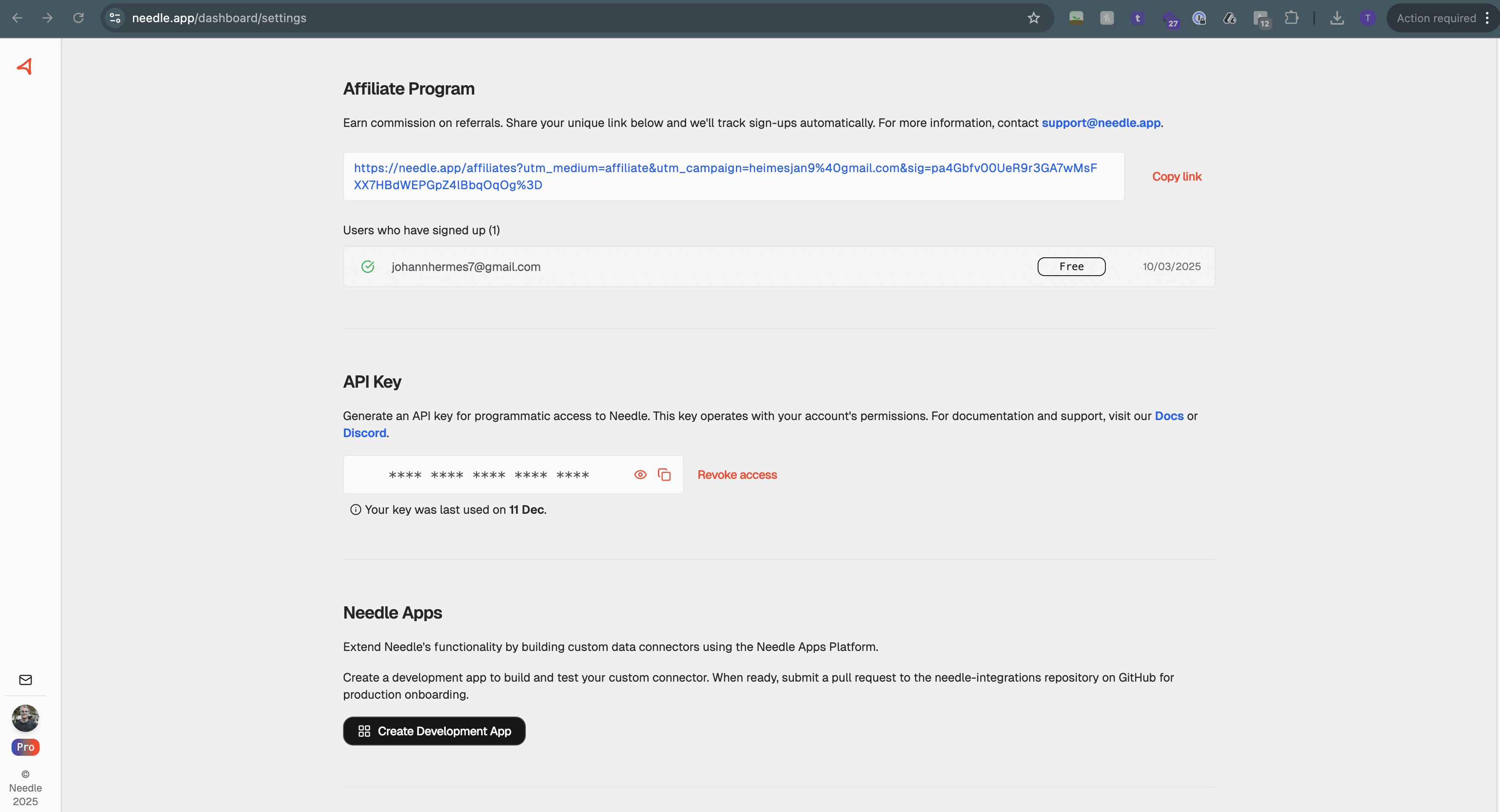
1
Go to Account Settings
Once you're approved as a partner, log into your Needle account and navigate to your Account Settings page.
Open Settings →2
Find the Affiliate Program Section
Scroll down to the Affiliate Program section. Here you'll find your unique referral link that you can share with your audience.
Your link will look like:
https://needle.app/affiliates?utm_medium=affiliate&utm_campaign=yourname...3
Track Your Referrals
Below your affiliate link, you'll see a list of Users who have signed up through your link. For each referral, you can see:
- Email address of the user
- Subscription status (Free or Pro)
- Sign-up date
How You Earn
Every workflow run
Earns you revenue
60
Day Cookie
You earn revenue every time someone runs a workflow based on your templates on a paid workspace. The more your templates are used, the more you earn.
Tips for maximizing your referrals
Share workflow templates
When you share public workflow templates, users who clone them automatically get your referral cookie applied.
Create tutorial content
Videos and blog posts demonstrating Needle workflows convert well. Include your affiliate link in descriptions.
Use clear CTAs
Direct your audience to sign up with specific calls-to-action. Highlight the value they'll get from Needle.
Disclose partnerships
Always disclose that you earn commission. Transparency builds trust with your audience.
Ready to start earning?
Access your affiliate dashboard and start sharing your unique link.
Ready to vibe automate?
Join thousands of people who have transformed their workflows.
Workflows
Automations with AI agents
Collections
All your data, searchable
Chat Widget
Drop-in widget for your website
Developer API
Build AI-powered apps with ease