Building AI Agents Is Now Easy: Docker MCP Registry
Docker launched an MCP Registry with 100+ tools. Add document search, payments, monitoring - one command, zero hassle.
Key Takeaways
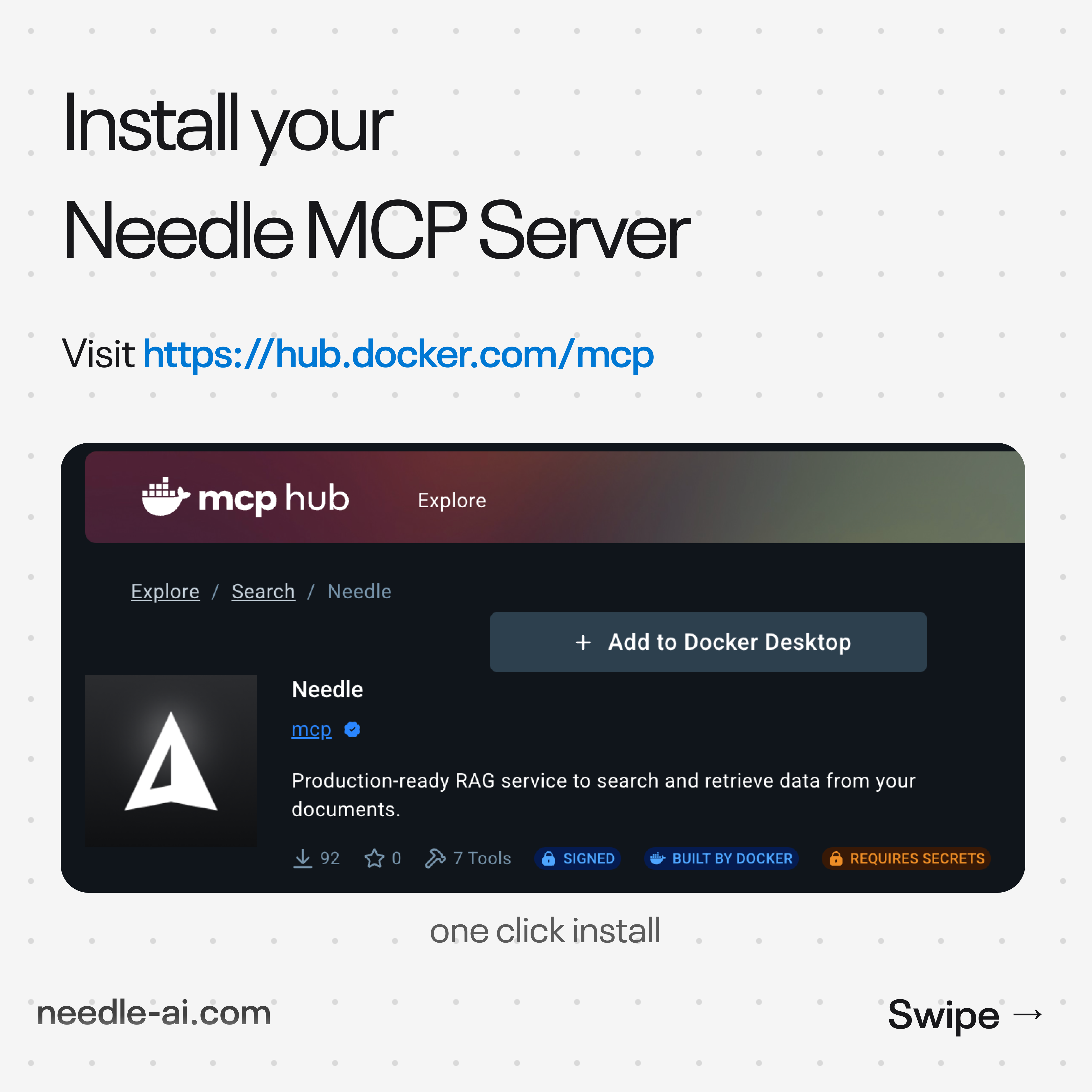
- Docker launched an official MCP Registry with 100+ pre-packaged AI agent tools - including Needle for document search
- Deploy any MCP server in one command:
docker run mcp/needle-mcp- zero dependency conflicts - Setup time drops from days/weeks (DIY) to under 2 minutes with containerized MCP servers
- Enterprise-grade security: isolated containers, signed images, and built-in secret management
The Problem: MCP Deployment Was Painful
Before Docker's MCP Registry, deploying MCP servers meant juggling Python environments, installing system dependencies, resolving version conflicts, and debugging integration issues across operating systems. A typical setup involved 5–10 manual steps, and a single dependency mismatch could cost hours of troubleshooting.
Docker solves this with containerization: every MCP server ships as a pre-built image with all dependencies locked in. One command pulls the image, starts the server, and connects it to your AI client.
Docker MCP Registry vs. Traditional MCP Setup
| Factor | Docker MCP Registry | Manual MCP Setup (npm/pip) | Remote MCP (hosted) |
|---|---|---|---|
| Setup time | ~2 minutes | 30 min – 2 hours | ~5 minutes |
| Dependency conflicts | None (isolated) | Common | None |
| Cross-platform | Yes (Linux, Mac, Windows) | OS-specific issues | Yes |
| Available tools | 100+ curated servers | Varies | Provider-specific |
| Security model | Container isolation + signed images | Host-level access | Provider-managed |
Step-by-Step: Deploy Needle MCP via Docker
- Install Docker Desktop (if not already installed). Available for Mac, Windows, and Linux at docker.com.
- Pull and run the Needle MCP image. A single command does everything:
docker run -e NEEDLE_API_KEY=your-key mcp/needle-mcp - Connect to your AI client. Point Claude Desktop, Open WebUI, Cursor, or any MCP-compatible client to the local MCP endpoint.
- Test the connection. Ask your AI: "List my Needle collections" to verify the tools are registered and accessible.
Composable AI: Stack Multiple MCP Servers
The real power of Docker's MCP Registry is composability. Run multiple containers side by side to build a multi-tool AI agent:
- Needle MCP for document search and RAG
- Slack MCP for messaging and channel queries
- GitHub MCP for code search and issue management
- Stripe MCP for payment data and customer lookups
Each server runs in its own isolated container. No dependency conflicts between them, no shared state, and each can be updated or replaced independently.
Enterprise Security Advantages
Docker containers bring enterprise-grade security to MCP deployments:
- Process isolation: Each MCP server runs in its own sandbox - no access to host filesystem
- Signed images: Docker Content Trust verifies image authenticity before execution
- Secret management: API keys passed as environment variables, never baked into images
- Audit trail: Container logs provide full visibility into tool invocations
Summary
Docker's MCP Registry eliminates the biggest barrier to AI agent adoption: deployment complexity. With 100+ pre-packaged MCP servers available as one-command containers, teams can go from zero to a fully functional AI agent with document search, Slack integration, and code access in under 10 minutes. Needle is available as mcp/needle-mcp in the registry, giving your agents instant RAG capabilities. The old way - weeks of Python setup, vector DB config, and integration debugging - is over. The new way is one command.
Explore the Docker MCP Registry and read the full story.