Introducing the Needle Slackbot: Work Smarter, Not Harder
RAG-powered search directly in Slack. Answer questions, onboard employees, resolve IT queries - without leaving your workspace.
Key Takeaways
- The Needle Slackbot brings RAG-powered search directly into Slack - no platform switching needed
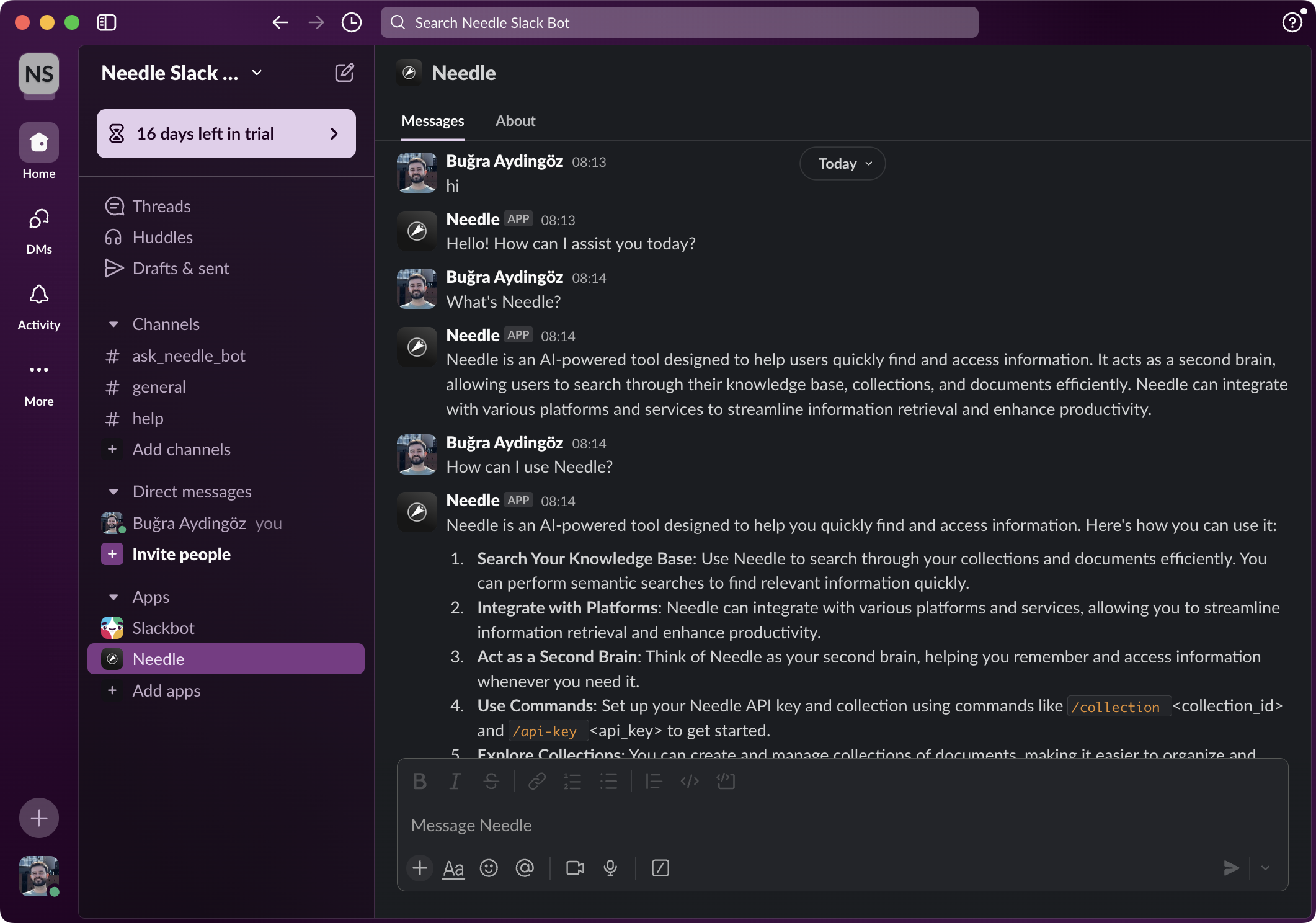
- Tag @Needle in any channel and get sourced answers from your organization's knowledge base
- Setup takes under 5 minutes: install the bot, add to channels, configure API key and collection
- Configurable per channel - different collections can power different channels (e.g., HR docs in #onboarding)
- Answers appear in threads to keep channels clean and organized
The average knowledge worker spends 1.8 hours per day - 9.3 hours per week - searching for information. For teams that live in Slack, this often means switching to a separate tool, searching docs, and pasting answers back into conversations. The Needle Slackbot eliminates this context switch entirely: tag @Needle in any channel, ask a question, and get a sourced answer from your knowledge base directly in the thread.
Key Features of the Needle Slackbot
- Collection-based answers: Responses come from your specific Needle collection - your docs, your policies, your knowledge
- Thread-based responses: Answers appear in threads to keep channels clean and allow follow-up questions
- Per-channel configuration: Assign different collections to different channels (e.g., product docs in #engineering, HR policies in #people)
- DM support: Ask the bot questions privately via direct message
- Source citations: Every answer includes references to the original documents
- Real-time sync: As your Needle collection updates, the bot's knowledge updates automatically
How to Set Up the Needle Slackbot
- Get the bot installation URL from your Needle dashboard and install it to your Slack workspace
- Add the bot to relevant channels using
/invite @Needle - Configure your Needle API key using the bot's setup command
- Set the collection ID for each channel (determines which knowledge base the bot searches)
- Tag @Needle with a question - the bot responds in a thread with sourced answers
Use Cases by Team
| Team | Channel Example | Collection Content | Sample Question |
|---|---|---|---|
| Engineering | #engineering | API docs, architecture decisions | "How does our auth middleware handle token refresh?" |
| HR / People | #onboarding | Employee handbook, policies | "What's our remote work policy for international travel?" |
| Sales | #sales-support | Product specs, pricing, case studies | "What's our enterprise pricing for 500+ seats?" |
| IT Support | #it-help | IT runbooks, troubleshooting guides | "How do I reset my VPN credentials?" |
| Customer Success | #cs-team | Help center articles, FAQs | "What are the steps to migrate from the free plan?" |
Productivity Impact
- 9.3 hours/week saved per knowledge worker by eliminating platform-switching for information lookup
- Instant answers in Slack threads vs. waiting for a colleague to respond (average Slack response time: 23 minutes)
- Faster onboarding: New hires get answers to common questions without asking busy team members
- Knowledge retention: Answers stay in threads and are searchable by the whole team
Summary
The Needle Slackbot brings RAG-powered search directly into your Slack workspace, eliminating the context switch between chat and knowledge tools. Setup takes under 5 minutes, and from that point anyone in your workspace can tag @Needle in a channel to get sourced answers from your organization's knowledge base. With per-channel configuration, different teams can use different collections - product docs for engineering, HR policies for people ops, pricing sheets for sales. Answers appear in threads with source citations, keeping channels clean and information verifiable.
See the full documentation for detailed setup instructions. Need help? Contact us via Discord or support@needle.app.