Control Your n8n Workflows Through Chat: Natural Language Automation
Make every n8n workflow conversational. Setup MCP trigger, paste URL into Needle, start commanding workflows - 60 seconds.
Key Takeaways
- Needle + n8n MCP integration lets you trigger any n8n workflow through natural-language chat
- Setup takes 60 seconds: add MCP Server Trigger in n8n, paste URL into Needle
- n8n has 400+ integrations - every one becomes conversationally accessible
- No code changes required to existing workflows; just add the MCP trigger node
- Use cases include Linear issue management, CRM updates, database queries, and report generation
n8n is one of the most powerful workflow automation platforms available, with 400+ integrations and a visual builder that lets you automate virtually anything. But every workflow still requires manual triggering - opening the n8n interface, finding the right workflow, clicking Execute, and monitoring output. Needle's MCP integration changes this entirely: now you can control any n8n workflow through natural-language chat.
How to Connect n8n to Needle: 60-Second Setup
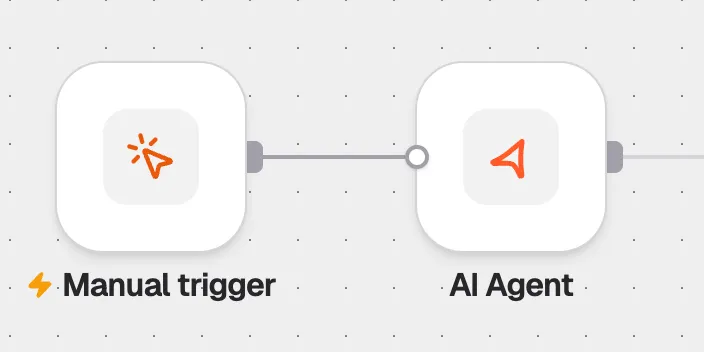
- Open your n8n workflow and add an "MCP Server Trigger" node as the entry point
- Save the workflow - n8n generates a unique MCP URL for this workflow
- In Needle, go to your collection → Connectors → Create Connector
- Paste the n8n MCP URL and name the connector (e.g., "Linear Issues")
- Start chatting - type "list all Linear issues from today" and the workflow executes automatically
Before vs. After: Workflow Interaction
| Aspect | Before (Manual n8n) | After (Needle + n8n MCP) |
|---|---|---|
| Trigger method | Open n8n UI, find workflow, click Execute | Type a natural-language request in Needle chat |
| Input parameters | Fill in form fields manually | AI extracts parameters from your message |
| Output format | Raw JSON in n8n execution log | Formatted, human-readable response in chat |
| Technical knowledge | Must understand n8n interface | Anyone who can type a question |
| Setup time | Already built | 60 seconds to add MCP trigger |
Real-World Use Cases
With 400+ n8n integrations now conversationally accessible, the possibilities are extensive. Here are practical examples teams are using today:
- Project management: "Show me high-priority Linear issues for my team this sprint"
- Customer onboarding: "Process new customer signups from today and trigger onboarding sequences"
- Sales reporting: "Run the weekly sales analysis and generate the executive dashboard"
- Database operations: "Pull the latest user metrics from our analytics database"
- DevOps: "Check the deployment status of the staging environment"
Why MCP Is the Key Enabler
The Model Context Protocol (MCP) is an open standard that lets AI applications connect to external tools. n8n's MCP Server Trigger node exposes any workflow as an MCP-compatible tool. Needle acts as the MCP client, routing natural-language requests to the right workflow and presenting results conversationally. No custom code, no webhook complexity - just a URL and a chat interface.
Summary
Needle's MCP integration turns every n8n workflow into a conversational command. Setup takes 60 seconds: add an MCP Server Trigger node in n8n, paste the URL into Needle, and start talking. With 400+ n8n integrations - spanning project management, CRM, databases, APIs, and more - every automation you've built becomes as accessible as sending a text message. No code changes to existing workflows, no technical knowledge required for end users, and results are returned in human-readable format directly in chat.
Every n8n workflow you've built just became as accessible as sending a text. Watch the full demo to see it in action.