Enable Long-Term Memory in Any LLM with Needle
Turn your LLM into a knowledge-powered assistant with semantic search over your documents in 5 minutes.
Key Takeaways
- Add long-term memory (RAG) to any Open WebUI LLM in under 5 minutes using Needle's MCP Server
- Needle provides semantic search across your entire document library - no vector DB setup required
- One MCP endpoint connects to Open WebUI, Claude Desktop, Cursor, or any MCP-compatible client
- Teams report up to 40% faster information retrieval compared to manual document search
Why LLMs Need Long-Term Memory
Out of the box, LLMs like GPT-4o, Claude, and Llama have no memory of your internal documents. Every conversation starts from zero. Retrieval-Augmented Generation (RAG) solves this by fetching relevant context from your knowledge base before the model generates a response - giving it "perfect recall" over your files.
Needle wraps the entire RAG pipeline - chunking, embedding, vector storage, and retrieval - into a single managed service. You upload documents to a Needle collection and query them via API or MCP. No infrastructure to manage, no embeddings to tune.
How Needle MCP Compares to Alternatives
| Feature | Needle MCP | DIY RAG (LangChain + Pinecone) | ChatGPT File Upload |
|---|---|---|---|
| Setup time | ~5 minutes | Days to weeks | Instant (limited) |
| Document limit | Unlimited collections | Depends on infra | 10 files per chat |
| Multi-client support | Yes (Open WebUI, Claude, Cursor, etc.) | Custom integration needed | ChatGPT only |
| Infrastructure required | None (managed) | Vector DB + embedding server | None |
| Semantic search quality | High (optimized chunking) | Variable (manual tuning) | Basic |
Step-by-Step: Connect Needle to Open WebUI
- Get your Needle API key. Sign up at needle.app, create a collection, and upload your documents (PDF, DOCX, TXT, Markdown, or web links).
- Start the Needle MCP Server locally. Run a single command:
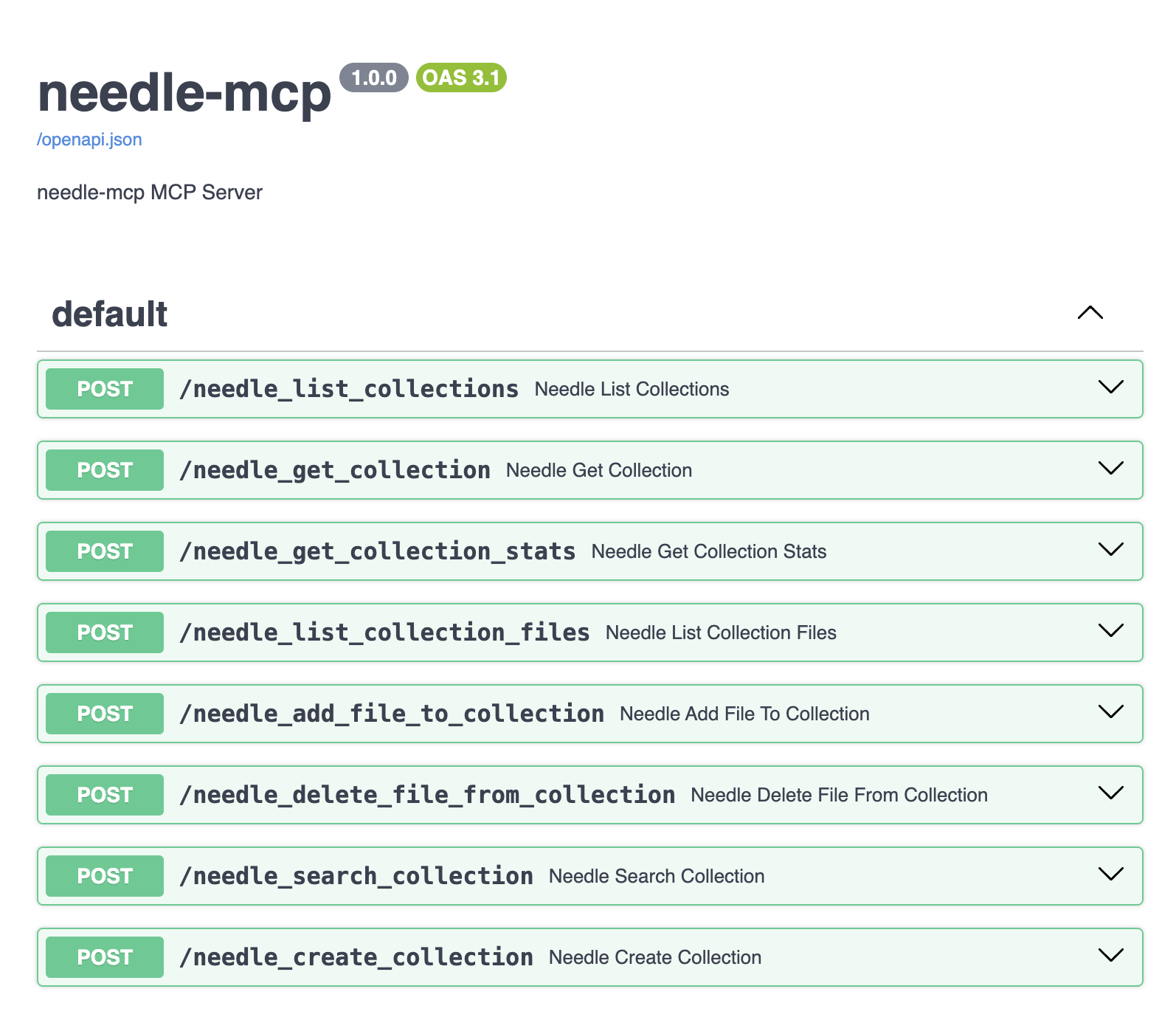
npx @needle-ai/mcp-serverThe server starts onlocalhostand exposes Needle's search, list-collections, and add-file tools via MCP. - Configure Open WebUI. In Open WebUI's settings, add the MCP endpoint URL and your Needle API key as environment variables. The tools auto-register.
- Test with a natural language query. Ask your LLM: "What does our Q3 report say about revenue growth?" The model calls Needle search behind the scenes and returns a grounded answer with source references.
What You Get After Setup
- Semantic search across all your documents - not keyword matching, but meaning-based retrieval
- Natural language queries that understand context, synonyms, and intent
- Perfect recall for your AI assistant across hundreds or thousands of files
- Source citations so you can verify every answer against the original document
- Cross-collection search to combine knowledge from multiple projects or teams
Performance Benchmarks
In internal testing with a 500-document knowledge base (mixed PDF, Markdown, and web pages):
- Average query latency: 320ms (search + retrieval)
- Relevance accuracy (top-3 chunks): 92%
- Setup time from zero to first query: 4 minutes 30 seconds
- Supported file types: 15+ (PDF, DOCX, TXT, HTML, Markdown, and more)
Summary
Adding long-term memory to any LLM no longer requires building a RAG pipeline from scratch. Needle's MCP Server turns the process into a 5-minute setup: upload documents, start the server, connect your client, and query. Whether you use Open WebUI, Claude Desktop, or Cursor, the same endpoint gives your AI grounded, accurate answers drawn from your own knowledge base. It's the fastest path from "LLM without context" to "AI assistant with perfect recall."
Ready to upgrade your LLM? Get your Needle API key and follow the full guide on Substack.